
From raw scan to staged aligners, automatically.
Review an interactive 3D treatment setup with your patient in minutes—edit chairside and export straight to 3D print.
Works with any intraoral scanner (STL, PLY, OBJ) · Runs in the browser · Every case saved in the cloud
Designed for clinical precision. Tailored to your operation.
Select your organization type to see how VeraArch eliminates workflow bottlenecks and per-case software taxes.
In-Office Orthodontics
Bring Clear Aligner Planning In-House Without the Software Overhead.
High lab fees & per-case software charges
Zero per-case license fees. Plan, stage, and export your own mild-to-moderate aligner cases directly to in-office 3D printers.
Clunky desktop software requiring heavy workstations
Runs on any modern browser. Open patient cases from the operatory, your office laptop, or home without downloading gigabytes of desktop software.
Difficult patient consultations
Chairside 3D presentations. Open an interactive, step-by-step movement simulation on your tablet or chairside monitor to clearly demonstrate planned outcomes and gain instant patient acceptance.
Tedious manual setup & margin tracing
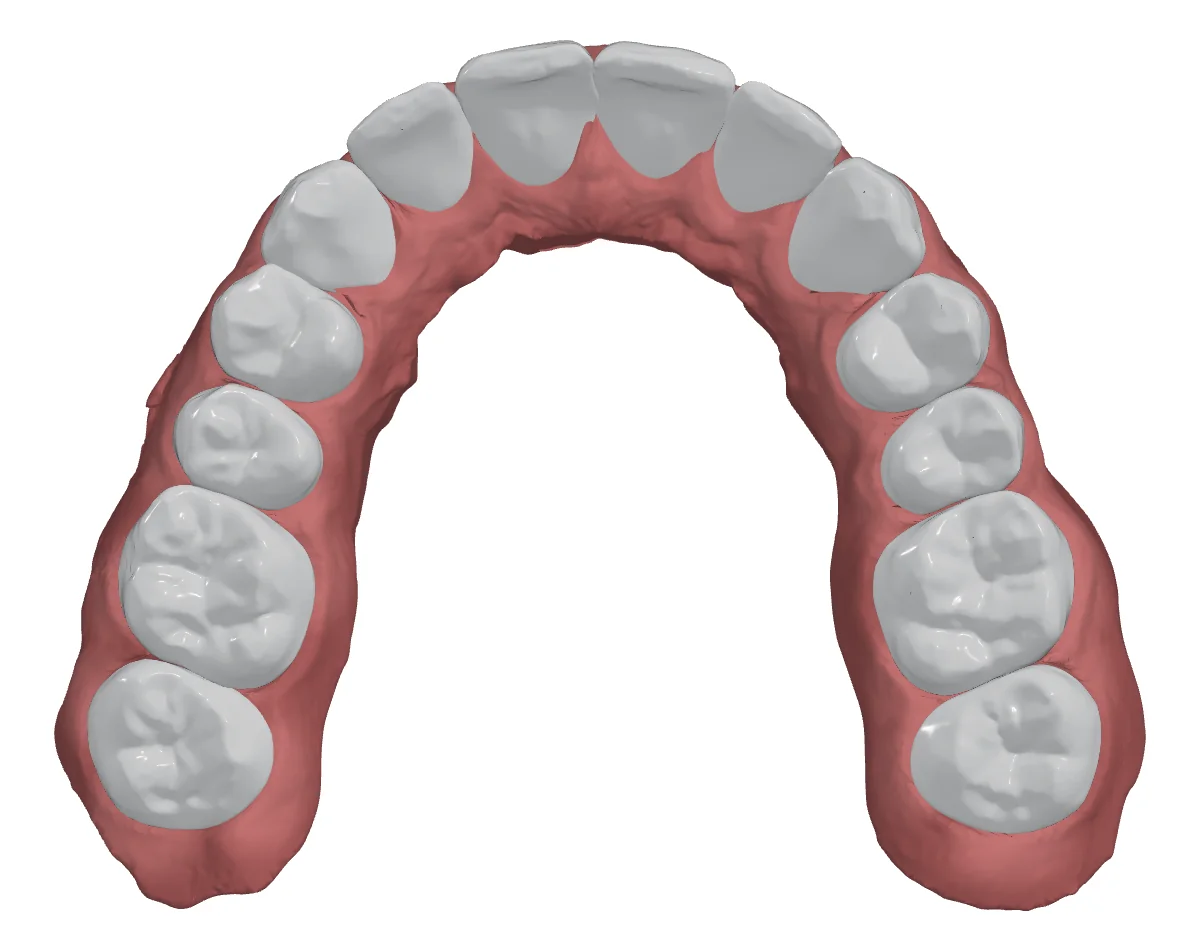
AI Arch Preparation. AI automatically detects and isolates teeth, trims excess gingival mesh, and generates print-ready bases with debossed stage numbers (U01, L01).
Go Auto
Four stages. One click.
Every module runs automatically with Go Auto. Your team only steps in to review, and every result stays fully editable.
Auto Basing
Raw scans to print-ready models, automatically
Scans arrive in any orientation and with excess tissue. VeraArch orients, cleans and bases both arches in three guided steps.
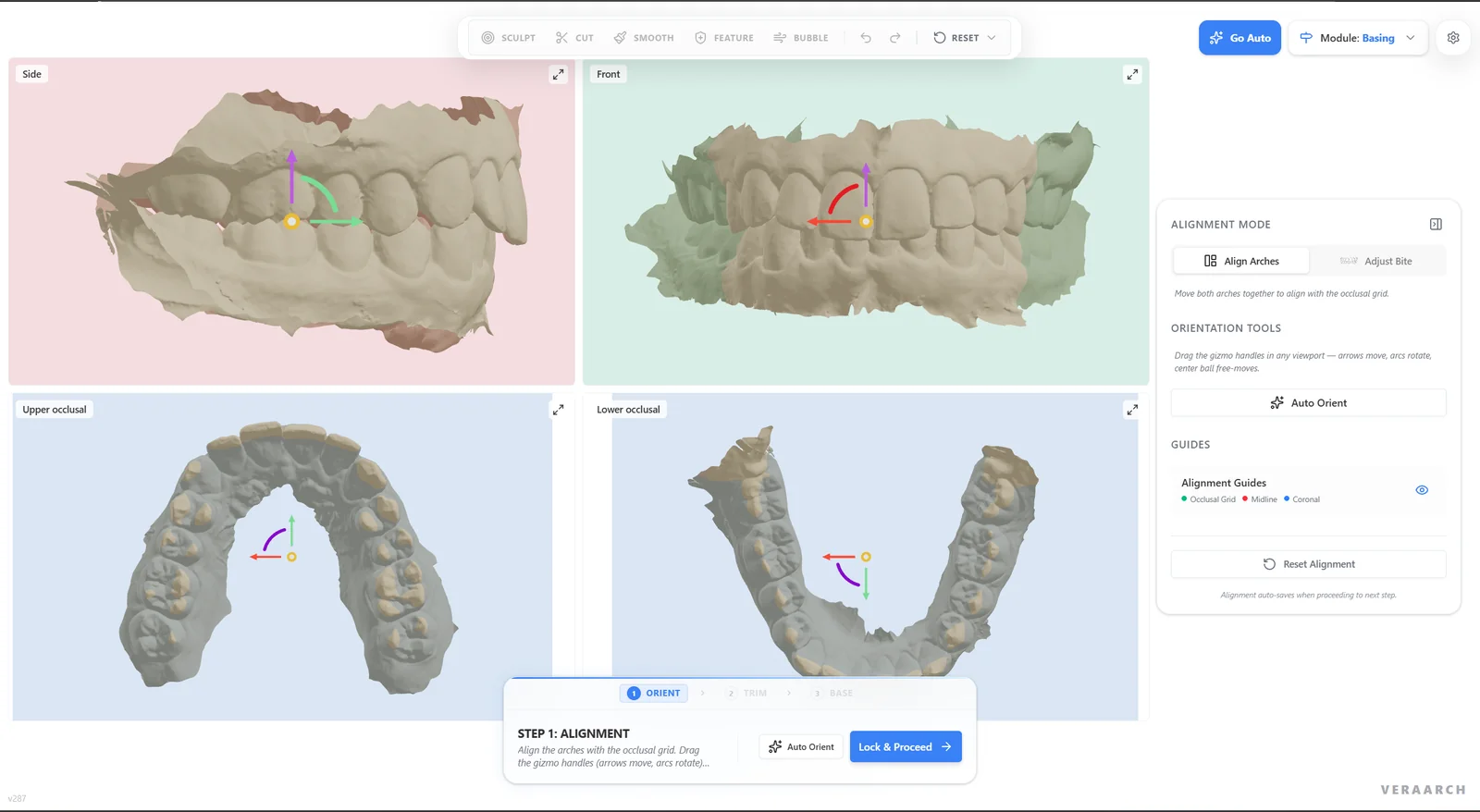
Auto Orient
One click places both arches on the occlusal plane, checked live in four synchronized views.
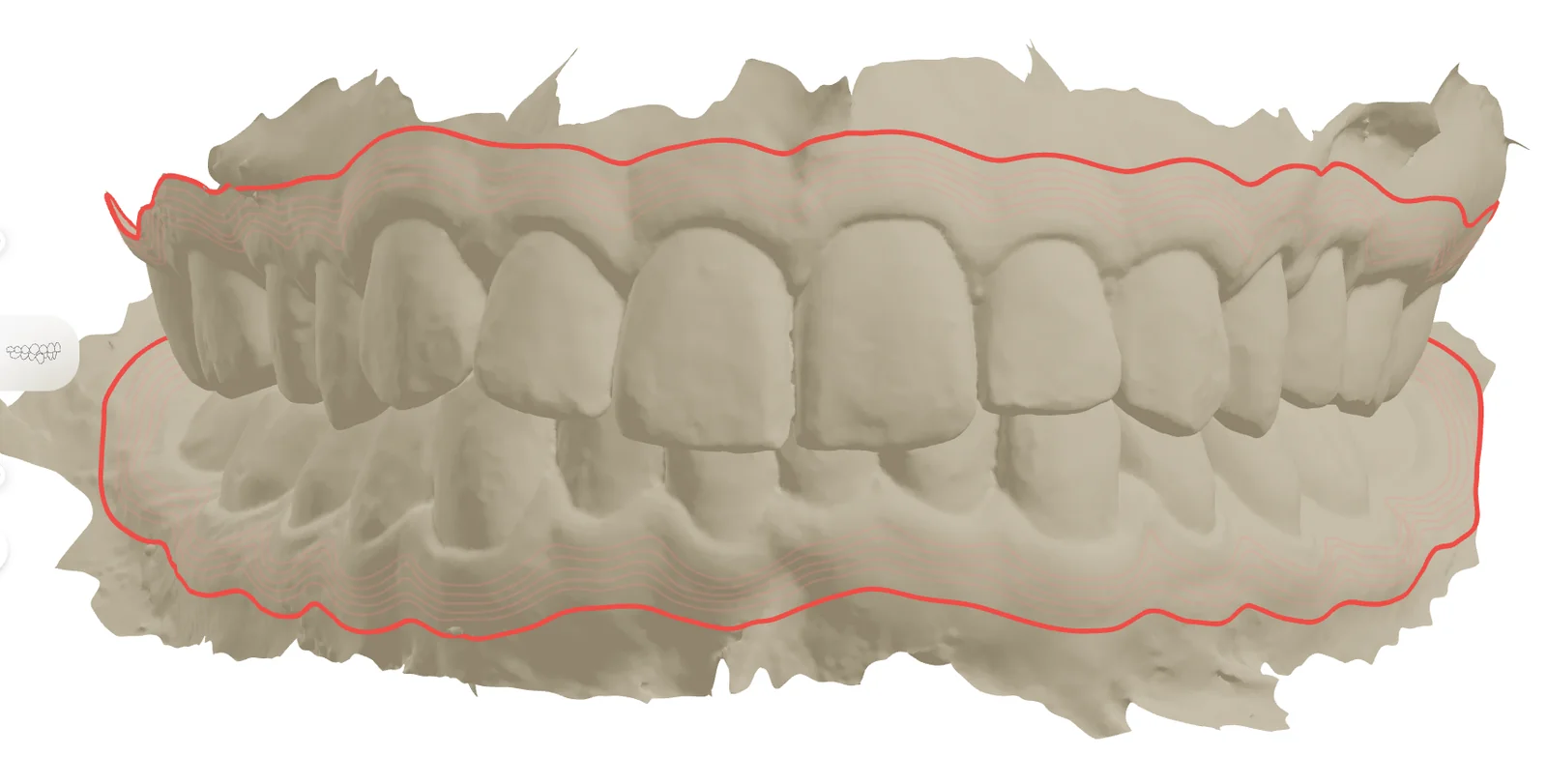
Auto Clean & Trim
Mesh errors are fixed and the trim line follows the gum automatically, previewed before cutting.
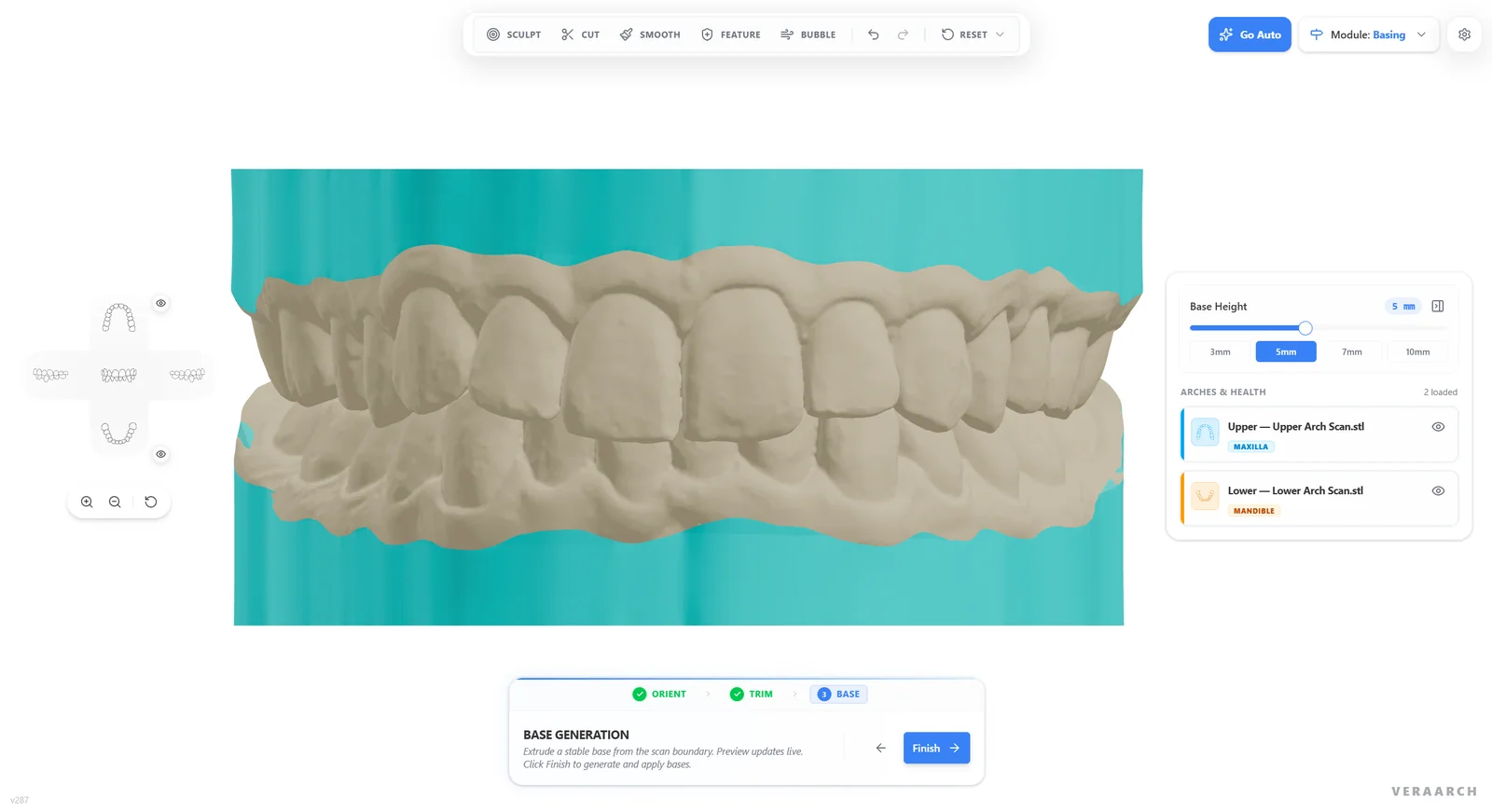
Base Generation
A stable base is extruded from the scan edge with a live preview. Choose 3, 5, 7 or 10 mm, or any height.
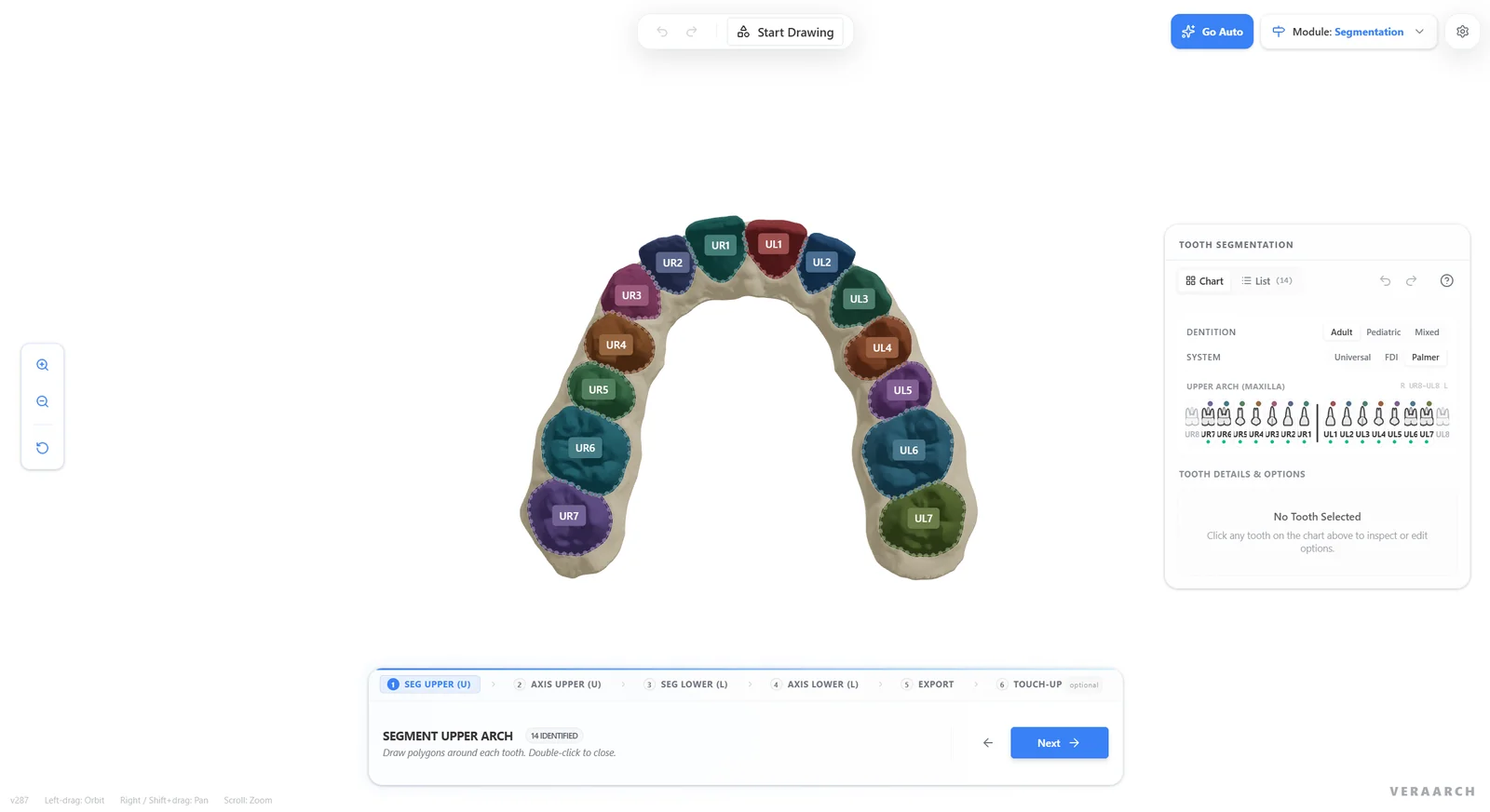
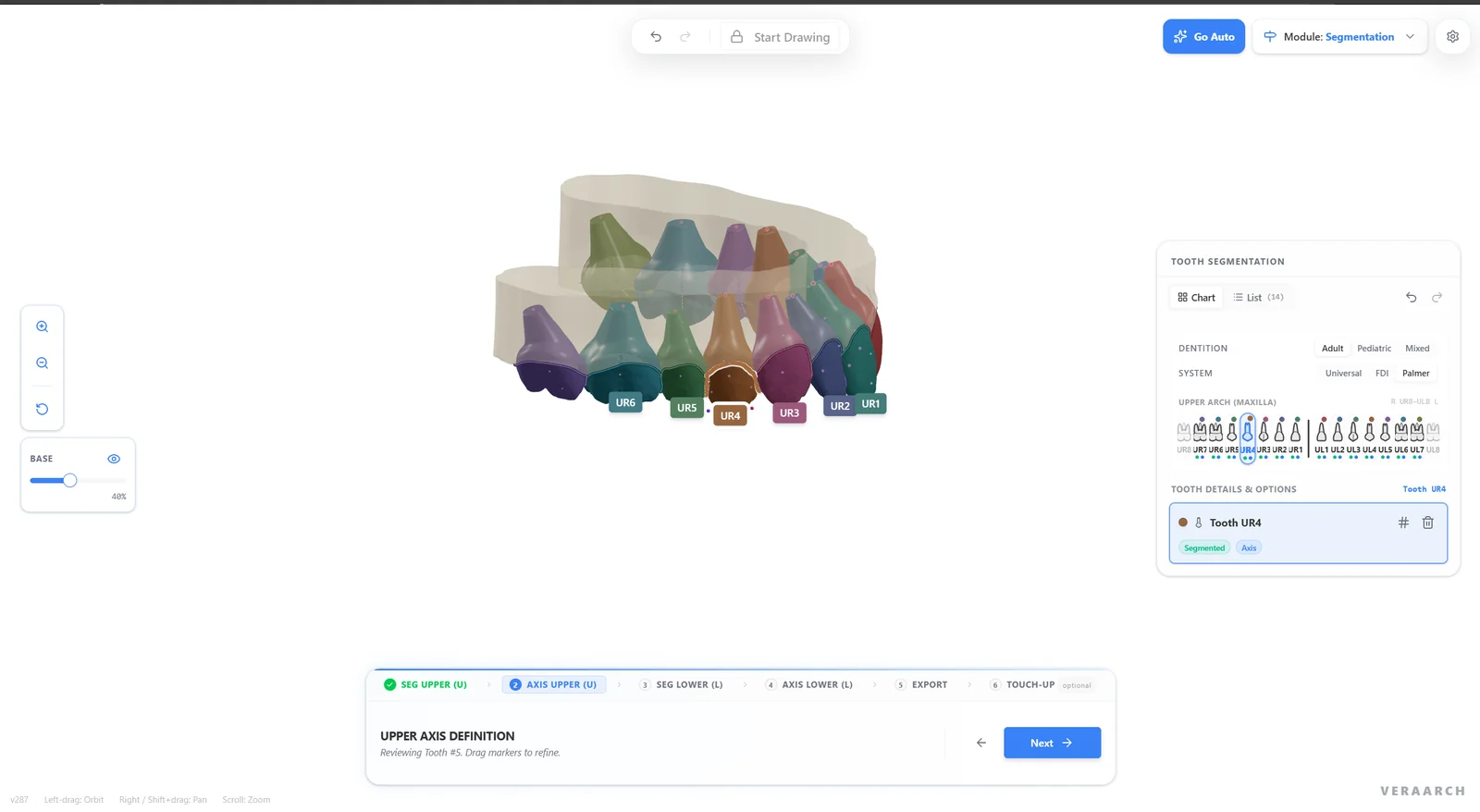
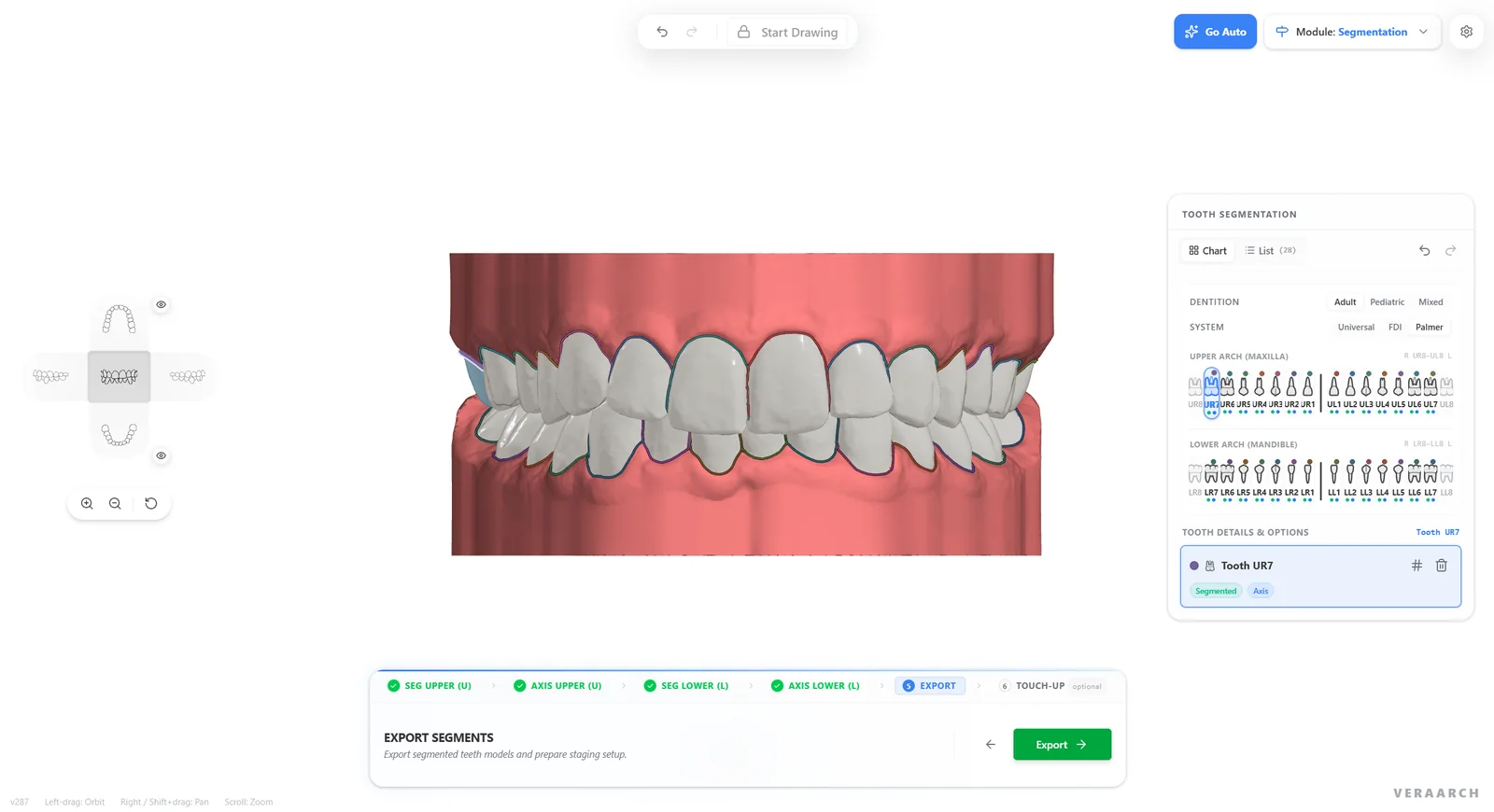
AI Segmentation
Every tooth found, numbered and given a root
Bypass hours of manual margin tracing. A guided wizard runs AI segmentation and axis detection on each arch, then exports a fully segmented case straight into staging.
AI Tooth Segmentation & Numbering
Every crown outlined and labelled automatically, in Universal, FDI or Palmer notation, for adult, pediatric and mixed dentition.
Automatic Axes & Virtual Roots
AI keypoints set each tooth's axis and a root stump is built under every crown for realistic movement. Drag markers to refine.
Both Arches, One Export
Seg Upper, Axis Upper, Seg Lower, Axis Lower, Export: a guided flow that hands the full segmented case to staging.
Optional Mesh Touch-up
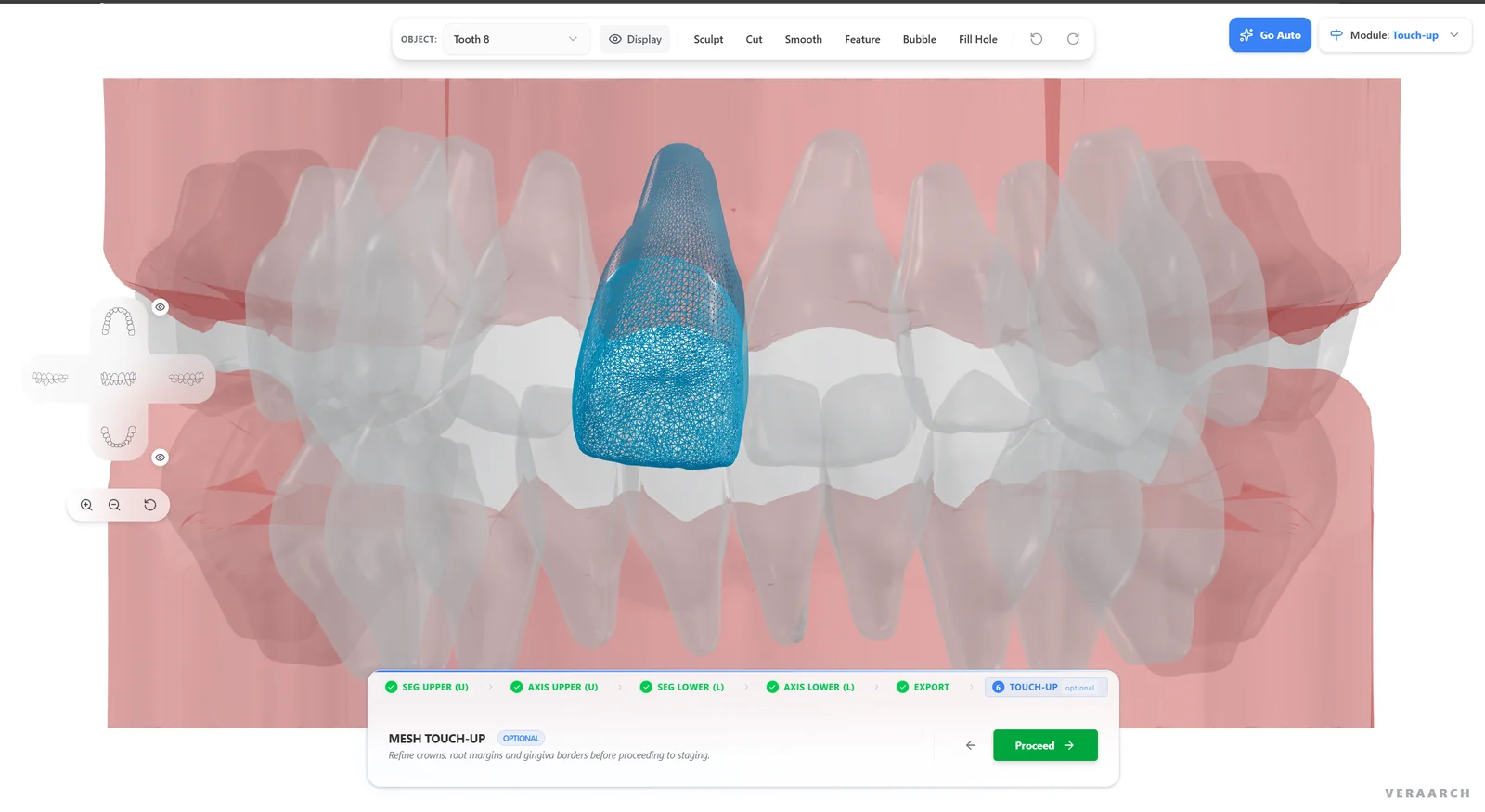
Refine crowns, root margins and gingiva borders with sculpt, cut, smooth, bubble and fill-hole tools before staging.
AI Setup · Beta
AI proposes the target. Staging fills in every step.
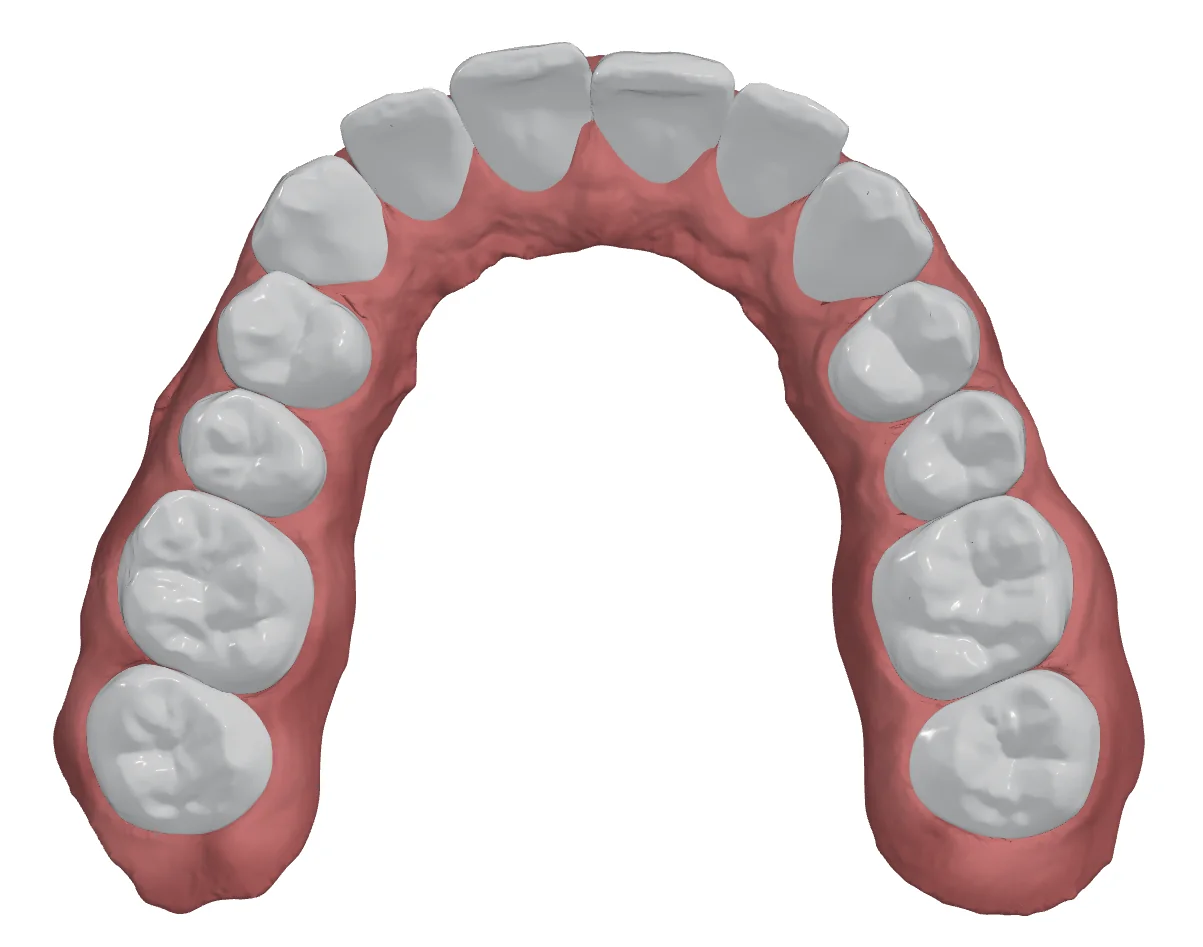
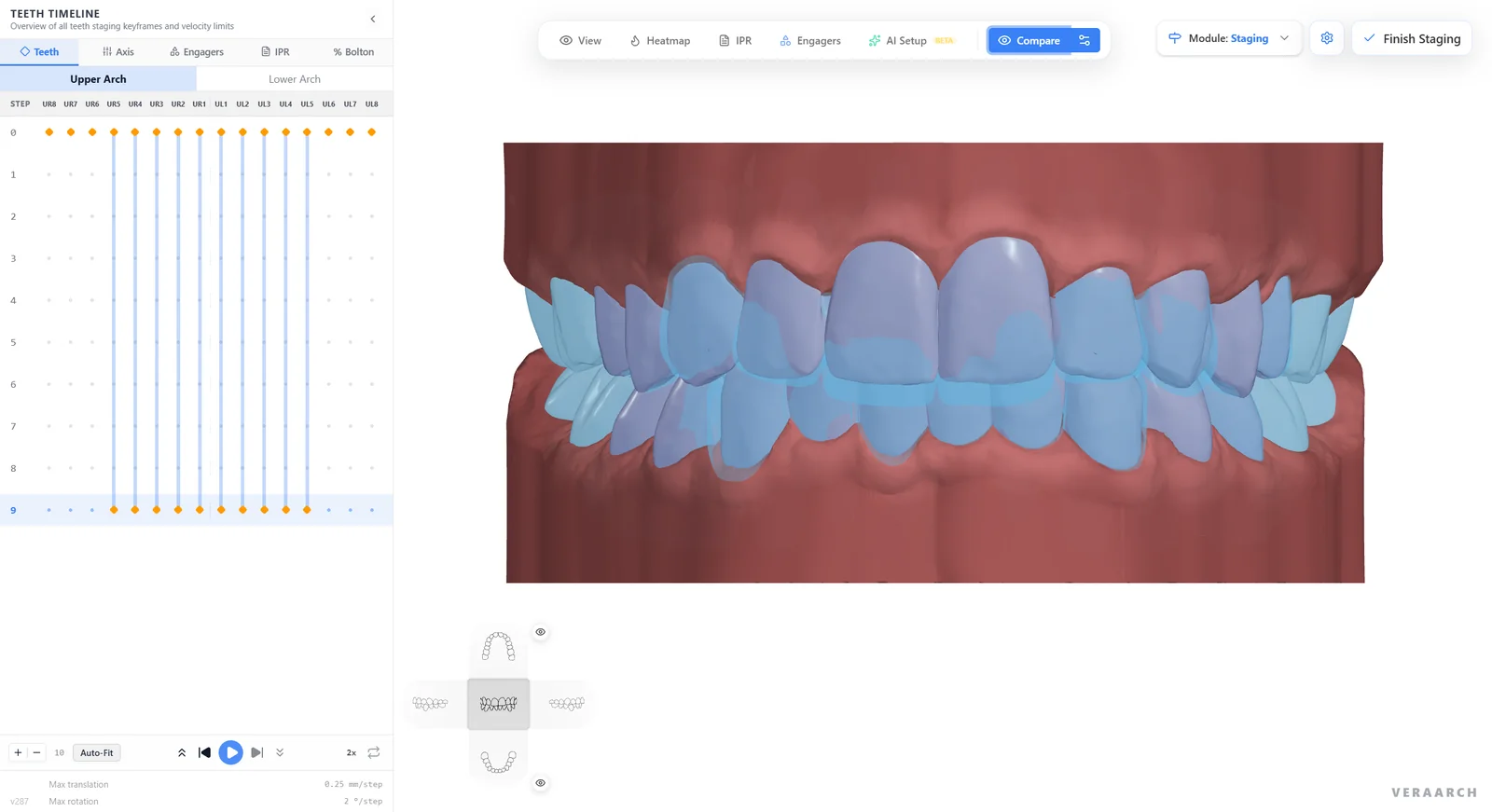
AI Setup generates the final tooth positions, and the staging engine splits the movement into aligner steps within your per-step translation and rotation limits.
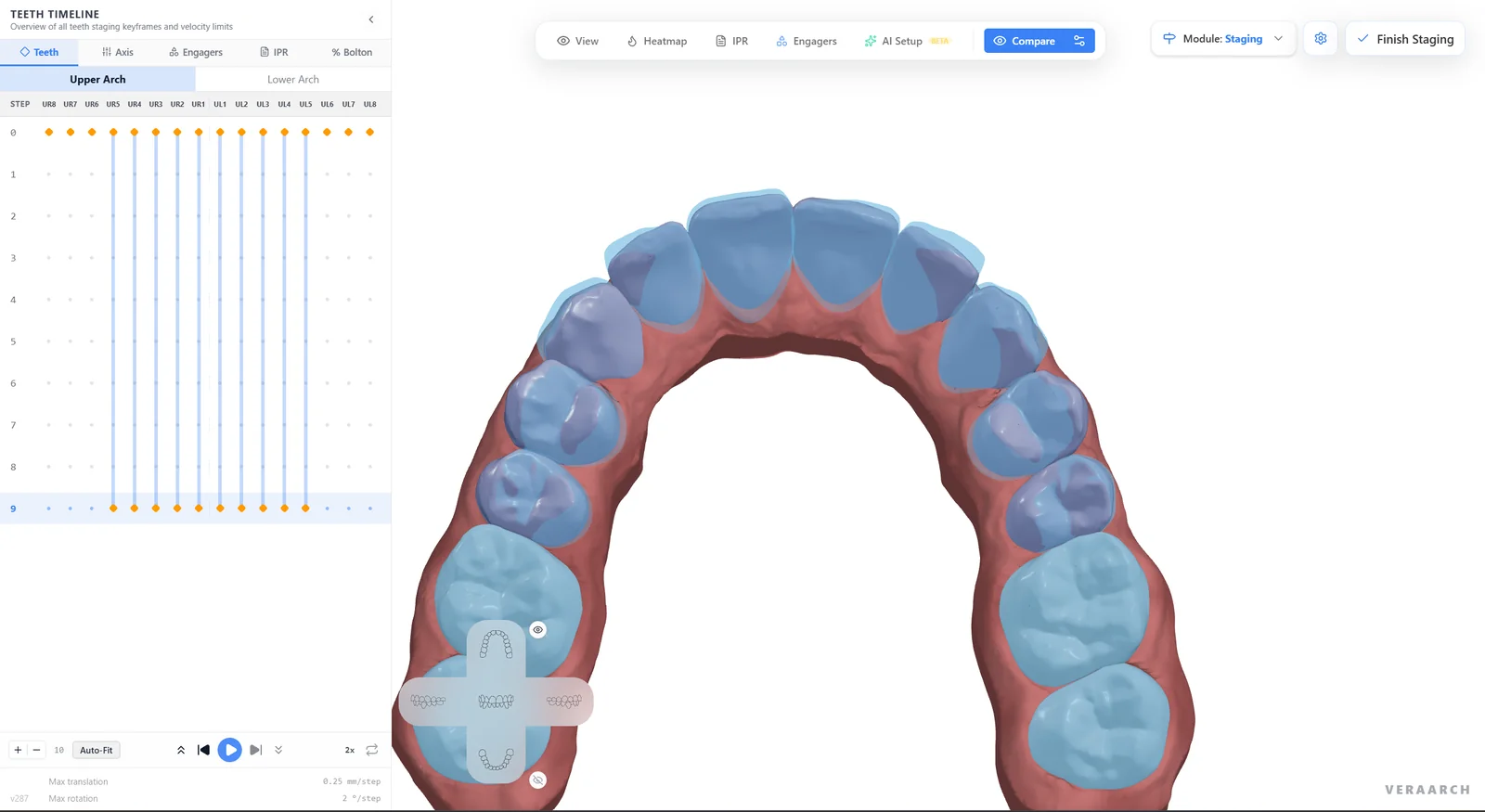
Automatic Step Timeline
Keyframes per tooth across every aligner step, with Auto-Fit to re-plan instantly.
Velocity Limits Per Case
Set maximum translation and rotation per step and the plan stays within them.
Compare in Any View
Overlay start and target in frontal, lateral or occlusal views and play the treatment step by step.
Clinical Safety & Space Management
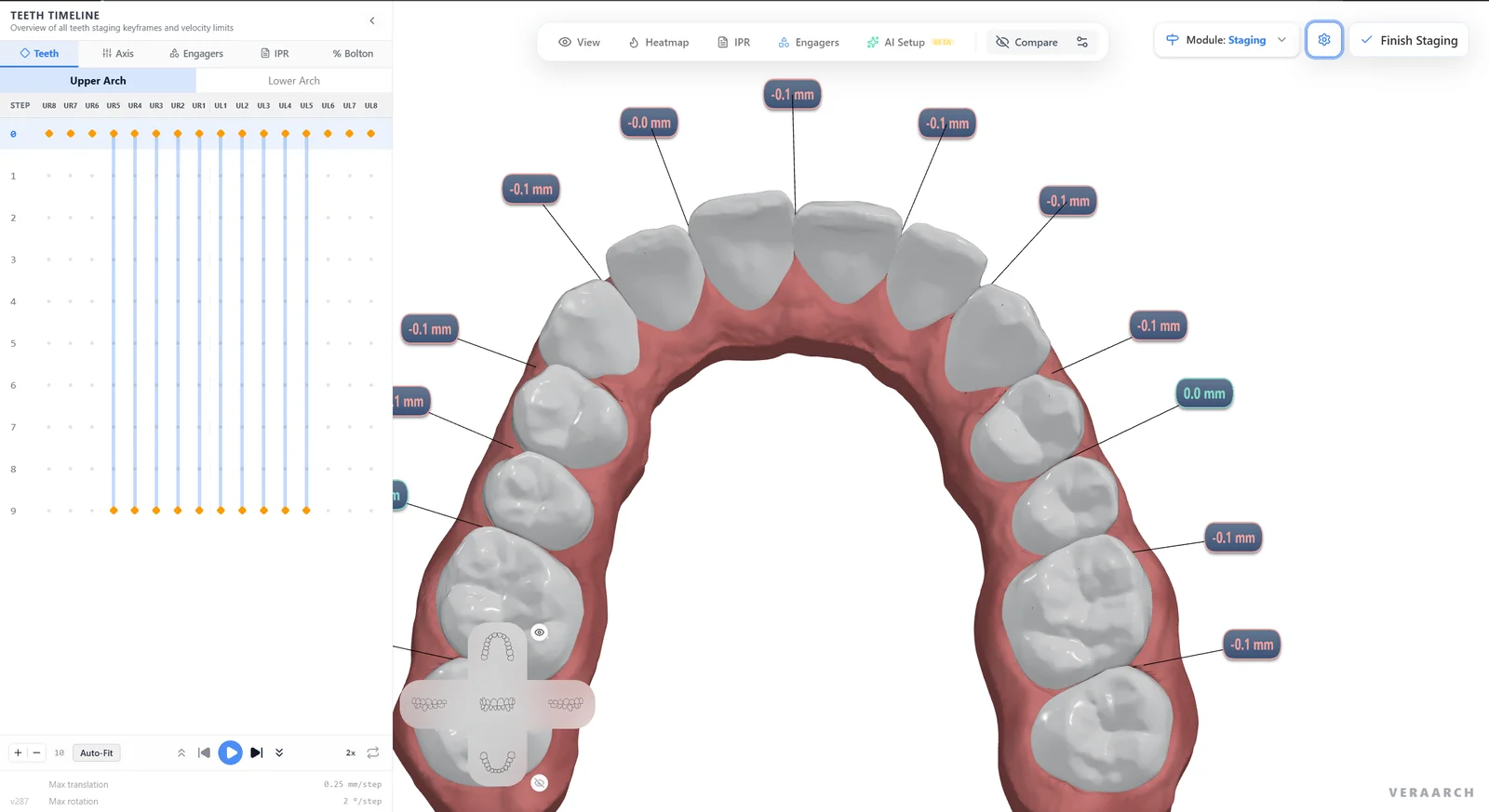
Live Occlusal Heatmaps & Clear IPR Schedules
Eliminate unexpected occlusal interferences before printing a single model. Every interproximal contact is measured automatically and labelled on the model, at every planned stage of treatment.
Color-Coded Distance Heatmaps
Instantly highlight tight interproximal friction points, occlusal clashes, and bite clearance.
Automated IPR Planning
Calculate exact reduction targets (e.g., 0.2 mm, 0.3 mm) at specific contact interfaces, automatically compiling an exportable clinical IPR sheet for the doctor.
Composite Attachment Library
Place rectangular, bevelled, and optimized attachments with drag-and-drop orientation to facilitate difficult rotations and root movements.
In-Office & Lab Production
Export Fully Formatted Models Ready for 3D Printing & Thermoforming
Stop bouncing files into third-party slicing or basing utilities. VeraArch prepares complete, printable geometries directly inside the export queue.
Horseshoe Basing & Hollowing
Automatically add hollowed bases with chamfered perimeter borders for easy thermoforming sheet pull-off.
Resin Drain Channels & Stage Debossing
Built-in liquid escape holes prevent uncured resin trapping, while clean debossed arch markers (U/L) and stage numbers (01–24) simplify labeling.
Attachment Template Export
Automatically output stage-zero template models for composite button placement without extra design work.
Complete digital aligner workflow in your browser
From intraoral scan upload to print-ready 3D models, VeraArch handles every step of clear aligner setup in one simple portal.
Easy Scan Upload & Base Preparation
Upload scans from any intraoral scanner and automatically generate clean model bases formatted for 3D printing.
Automated Tooth Isolation & Alignment
Separate individual teeth with automated margin detection and precise root alignment guides.
Stage-by-Stage Export for 3D Printing
Generate step-by-step movement stages and export print-ready 3D files for in-office printers or lab manufacturing.
Upload Scans (.STL / .PLY / .OBJ)
Drop in upper and lower digital impressions plus buccal bite registration from any open intraoral scanner.
AI Detection & Automated Staging
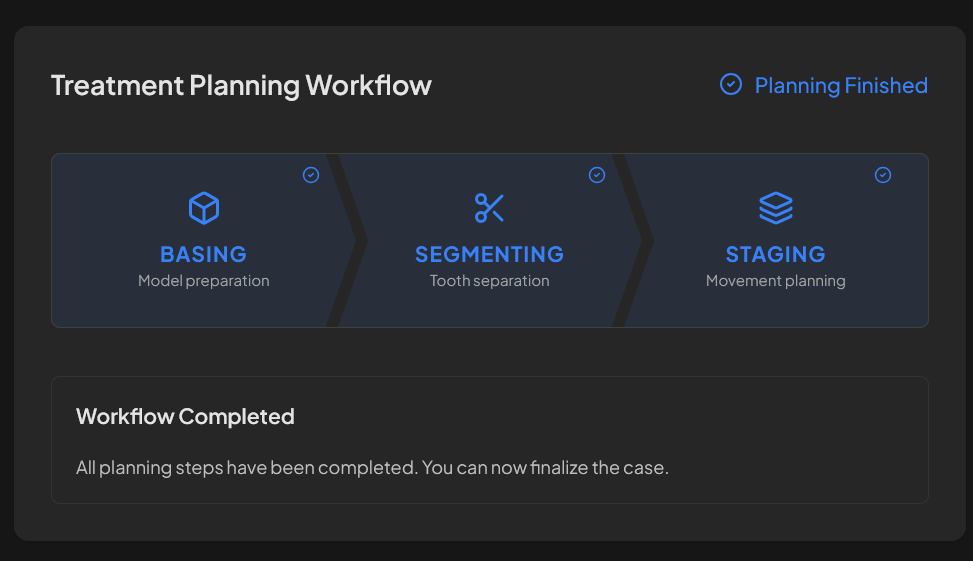
Go Auto orients, trims and bases the scans, segments every tooth, places axes and roots, and generates an AI setup with automatic staging.
Clinical Review & Approval
Share a zero-install 3D link with the doctor or patient. Compare revision setups side-by-side and secure digital sign-off.
Export & Print
Download hollowed, sequentially numbered STL models ready for slicing on SprintRay, Formlabs, Asiga, or any resin 3D printer.
For aligner labs
From scan to signed-off setup, in the cloud
Every case starts with an AI setup. Minutes after the scan is uploaded, the doctor has a before and after to review, edit with the patient and send straight to the lab.
Chairside
Doctors edit the plan with the patient in the chair
Without a plan to show chairside, doctors start fewer cases. VeraArch turns the AI setup into a live consultation.
- Play it stage by stage
- Before/after toggle and step-by-step playback on a chairside screen or tablet.
- Dr Edit, live
- The doctor adjusts teeth while the patient watches their own smile change.
- Share with the patient
- A link they can open at home and show their family. Nothing to install.
Doctor to lab
Cases arrive at the lab ready to work
No screenshots, PDFs or long email threads. The plan, the instructions and the conversation all live on the case.
- Send to lab
- The doctor's edited Quick Plan and instructions travel with the case.
- Planners claim cases
- A planner opens the case link, accepts it, and it's assigned to them.
- Messaging on the case
- Questions and answers stay with the case, not in someone's inbox.
AI planner
Planners start from the AI plan, not from scratch
Instead of segmenting, trimming and staging every case by hand, planners begin with a finished AI plan and refine it.
- Auto-planned workspace
- The AI planner adds a planned workspace to every case, ready to review.
- Refine, duplicate or compare
- Edit the AI plan, branch it into a copy, or compare it with your own setup.
- Every workspace saved
- Each workspace is saved to the case, so nothing is lost between iterations.
Cloud workspace
Every case lives in one place
No more v1, v2, v3_final_FINAL on local drives. Scans, plans, revisions and messages are saved to the case in the cloud.
- 01Submitted
- 02Designing
- 03Quality Control
- 04Doctor Review
- 05In Production
- 06Delivered
- Nothing to install
- Planners and doctors open cases in any modern browser, at the bench, in the clinic or at home.
- Every version kept
- Each workspace and revision is saved to the case, so no one works on the wrong file.
- Status everyone can see
- One timeline from submission to delivery, shared by the lab and the doctor.
Only members of your organization can open cases in the workspace. Review and patient links open a single case.
Why switch
VeraArch vs legacy desktop software
| Legacy desktop software | VeraArch | |
|---|---|---|
| First setup | Built by hand by a technician | AI setup minutes after upload |
| Where it runs | Dedicated workstation and installs | Any browser, any device |
| Where cases live | Local drives and email attachments | Cloud, saved per case |
| Doctor review | Screenshots, PDFs, email threads | Live 3D link, Dr Edit, Send to lab |
| Patient conversation | Static images, if any | Doctor edits chairside, patient link |
| Case tracking | Spreadsheets and inboxes | Built-in timeline and messaging |
Run your next lab cases through VeraArch
- 1Pilot with live cases and your own planners
- 2Your lab's branding on the doctor and patient viewer
- 3Invite your partner doctors to send cases
Built for clear aligner brands, labs & dental practices
Simplify case tracking, speed up approvals, and deliver clear 3D treatment plans.
Aligner Companies & Dental Labs
Expand your lab operations with multi-clinic case tracking, planner workflow management, branded portal views, and batch print exports.
- Custom-branded 3D viewer & clinic portal
- Planner case assignments and version-tracked revision logs
- Batch 3D print file export ready for production
Orthodontic & Dental Practices
Collaborate effortlessly with partner labs or manage in-office aligner setups. Review 3D treatment plans, request changes, and show patients their future smile.
- Interactive 3D timeline staging and setup comparison
- Direct Doctor Edits with one-click revisions and sign-offs
- Visual 3D presentation tools to explain treatment to patients
Complete clear aligner treatment toolkit
Everything you need to manage clear aligner cases from intraoral scan upload to final 3D printing.
One-Click Go Auto
Run basing, segmentation and staging automatically, then review and fine-tune only where needed.
AI Setup (Beta)
AI proposes final tooth positions and the staging engine generates every aligner step within your velocity limits.
Contacts, IPR & Bolton
Automatic contact measurements, IPR and engager planning, Bolton analysis and occlusion heatmaps in one module.
Simple Scan Upload
Upload 3D scans in standard formats (.STL, .PLY, .OBJ) with automatic organization routing and case status updates.
3D Staging Timeline
Animate treatment steps, jump to any stage, and compare original vs. setup positions.
Intuitive 3D Setup Editor
Fine-tune tooth positions, rotations, and attachments directly in your browser with single-tooth or multi-tooth controls.
Tailored Workspaces
Dedicated dashboard views for Doctors, Treatment Planners, and Practice Managers to track cases and turnarounds.
Send to Lab & Case Messaging
Doctors send their edited plan in one click, planners claim it, and every message and sign-off stays on the case.
Custom Practice Branding
Brand your 3D viewer, review portal, and patient proposals with your clinic logo and custom colors.
Frequently Asked Questions
Everything you need to know about VeraArch
Answers to common questions from clinicians, orthodontic technicians, and dental lab owners.
Get in touch
Have a question about VeraArch, need a demo, or want to discuss integrating clear aligner workflows for your practice or lab? Send us a message — we respond within one business day.
By submitting this form you agree to be contacted about your inquiry. We never share your information.
Ready to modernize your clear aligner workflow?
Start staging cases in your browser today with zero installation, zero per-case license fees, and total digital freedom.